Phone:
+85295718875
Email:
support@just-wonders.com

Phone:
+85295718875
Email:
support@just-wonders.com
Keep Halloween colors, sizes and bundle quantities matched from your store to your supplier and fulfillment provider with a practical SKU-mapping checklist.
A customer who orders a black decoration should not receive the orange version simply because both share a supplier listing. Before accepting orders for a seasonal product, connect each sellable store variant to one clearly identified supplier variant and one fulfillment record. If that connection is uncertain, hold the affected variant rather than asking the packing team to guess.
Use your store SKU as a stable reference. Record the supplier URL, the supplier’s variant identifier where available, the selected color or size, the contents of one retail unit, and a reference image. Include the identifier used by your fulfillment provider. Do not assume a product title or a picture is enough to distinguish two versions.
A SKU is your stock-keeping reference, not necessarily the supplier’s product number or a retail barcode. Your identifiers do not have to match across systems, but the connection between them must be unambiguous. Avoid reusing a retired SKU for a different physical item while old orders or stock still refer to it.
For a decorative cushion cover, for example, specify whether the offer includes the insert. A listing photo showing a filled cushion does not establish what is supplied. For a hanging decoration bundle, record the piece count and designs included. Describe the unit that the customer actually buys, not just the supplier’s outer carton.
Keep the supplier’s original option label alongside the customer-facing English description. Translation can help people read the record, but it should not replace the identifier used to select the item.
Store SKU HW-COVER-BLK-45 could mean one black 45-by-45-centimeter cushion cover, without an insert. Its record should name the exact supplier option and warehouse item reference. The orange version needs its own clearly distinguishable record; a two-cover pack also needs a defined component quantity.
For an order containing two single covers, the expected contents are two covers. For an order containing two two-cover packs, they are four covers. Record whether the fulfillment system receives a bundle SKU or separate component lines, so neither side multiplies the quantity twice. Put the reference photo and the written contents together; a picture alone cannot establish pack quantity.
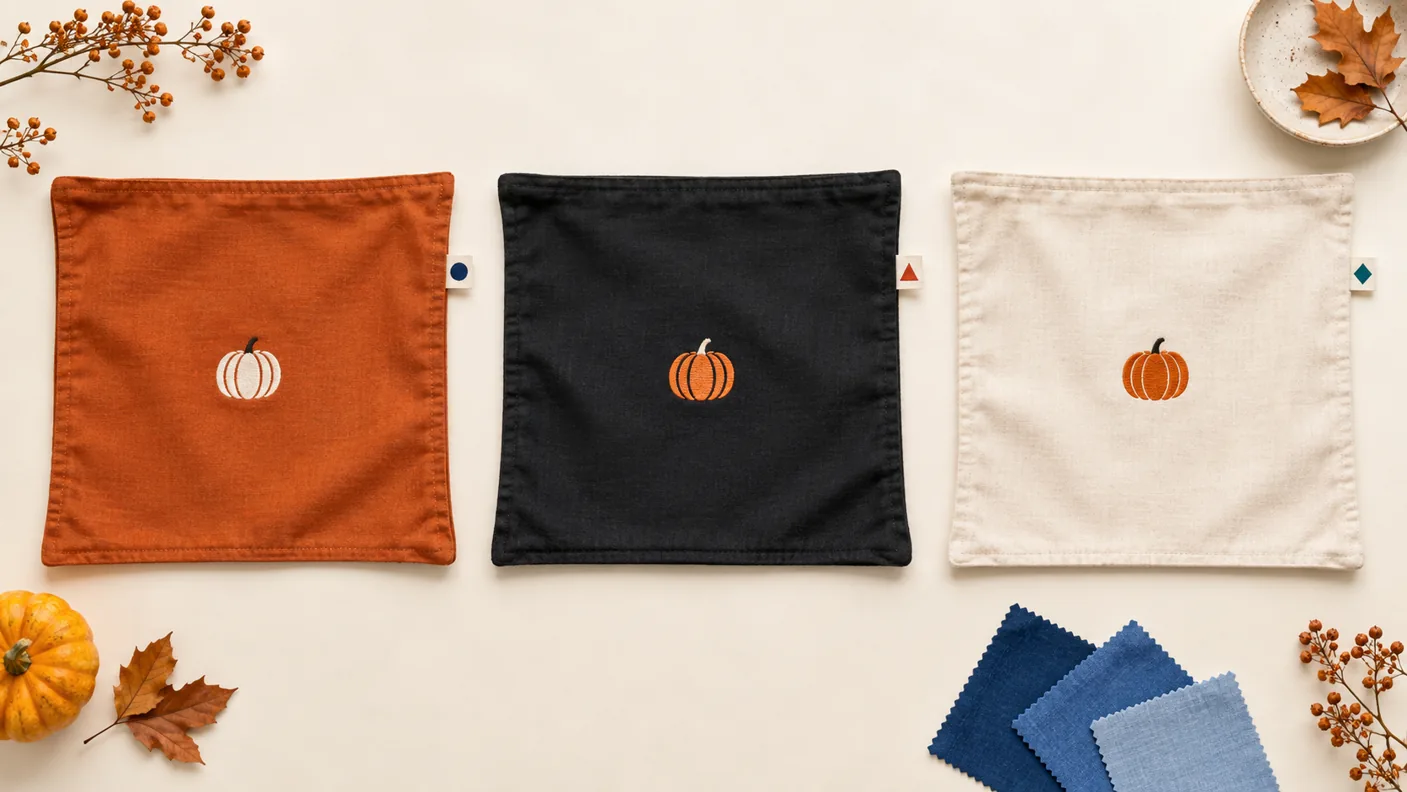
Separate records are useful when differences change what the customer receives or how the parcel is handled: size, color, included accessories, pack quantity, or an electrical version. Confirm the actual item rather than inferring its specifications from another option on the same page.
For air-parcel fulfillment, request packed weight and dimensions for the relevant variant or bundle. Do not assume every option uses the same packaging. If a version contains batteries, ask the fulfillment provider to verify acceptance for that exact product, route and destination before offering it for delivery.
Check your store configuration too. WooCommerce’s variable-product documentation explains that variations can have their own SKUs, weights and dimensions; blank variation fields can inherit product-level values. That may be intentional, but it is not evidence that two physical variants weigh the same. Verify the data your integration actually sends. See the WooCommerce variable-product documentation for the platform’s field behavior.
Agree on a written rule for unavailable items. A useful starting point is: do not change color, size, design, quantity or functionality without approval. A supplier may consider two seasonal designs interchangeable; your customer may not.
When a selected variant becomes unavailable, establish who receives the exception, who can approve a replacement, and what happens to the order while a decision is pending. Keep any approved replacement connected to the specific affected order. Do not silently change the master mapping for all future customers.
Use a controlled test order or sample workflow agreed with your provider. Compare the store order line with the supplier selection, fulfillment record and packed item. Check the selected option, quantity and included pieces, rather than just confirming that an order appeared in the system.
Where product identification is difficult, request clear reference photos of the variant and its packaging label. Check that any label used operationally matches the fulfillment provider’s requirements. A successful order import alone does not prove that stock selection, packing and tracking return all work correctly.
Choose test cases that expose differences: a similar-looking color, a size change and a bundle quantity. Confirm the outcome at each handoff. If the order is missing an option, reaches the wrong warehouse item or shows an unexpected quantity, stop that variant until the mapping is corrected. Keep test orders clearly identified and agree whether they should actually ship before releasing them.
Adding a new variant, changing a supplier or turning a single item into a bundle should trigger a mapping review. Ask whether your integration synchronizes these changes; do not assume product records update simply because orders import automatically.
Maintain a short change record: what changed, when, which SKUs are affected and who confirmed the new mapping. For a seasonal range, remove unavailable options from sale or otherwise prevent unsupported orders while the issue is resolved. Avoid promising a holiday arrival date until the relevant processing and delivery arrangements have been checked.
Before sending a new seasonal range for fulfillment, prepare the store SKU list, supplier links, exact options, bundle contents and packaging information. These details make it easier to identify uncertainties before customers are waiting for their parcels.
For broader stock, packaging and pre-purchase checks, use our Halloween product sourcing checklist. For help reviewing supplier options, see UTS purchasing support. Our How It Works guide explains the product-request and fulfillment process; the exact store connection and change-handling workflow should be agreed during onboarding.
Ready to review a seasonal range? Contact UTS with your SKU list, supplier links, selected variants and destination. Ask the team to confirm the required mapping and test-order process before live fulfillment starts.