Phone:
+85295718875
Email:
support@just-wonders.com
Phone:
+85295718875
Email:
support@just-wonders.com
Write a product photo brief around what supplier images leave unclear. Decide when you need detail shots, a demo video or a physical sample.
You have chosen a product for your dropshipping store, but the supplier’s images show only the front. You still cannot see the inside pocket, the fastening or what comes in the box. A useful product photo brief starts with those missing answers, not a request for a larger batch of attractive pictures.
First separate what needs to be shown from what needs to be confirmed another way. A close-up can reveal a seam. A short video can show how a closure works. Neither tells you how the material feels in your hand. You may need specific photos, a demonstration, a physical sample, or a combination—not automatically a full shoot.
Review the images you already have permission to use. Keep the ones that accurately represent your chosen version and answer a useful question. Supplier content is not automatically unusable, and replacing every image may leave the same gaps if the new shoot repeats the same angles.
For a bag, an exterior view may show its outline, front pocket and strap arrangement while leaving the lining and internal compartments unknown. Ask for the specific missing view: the main compartment open, with the pocket visible. “Make it look premium” gives the photographer much less to work with.
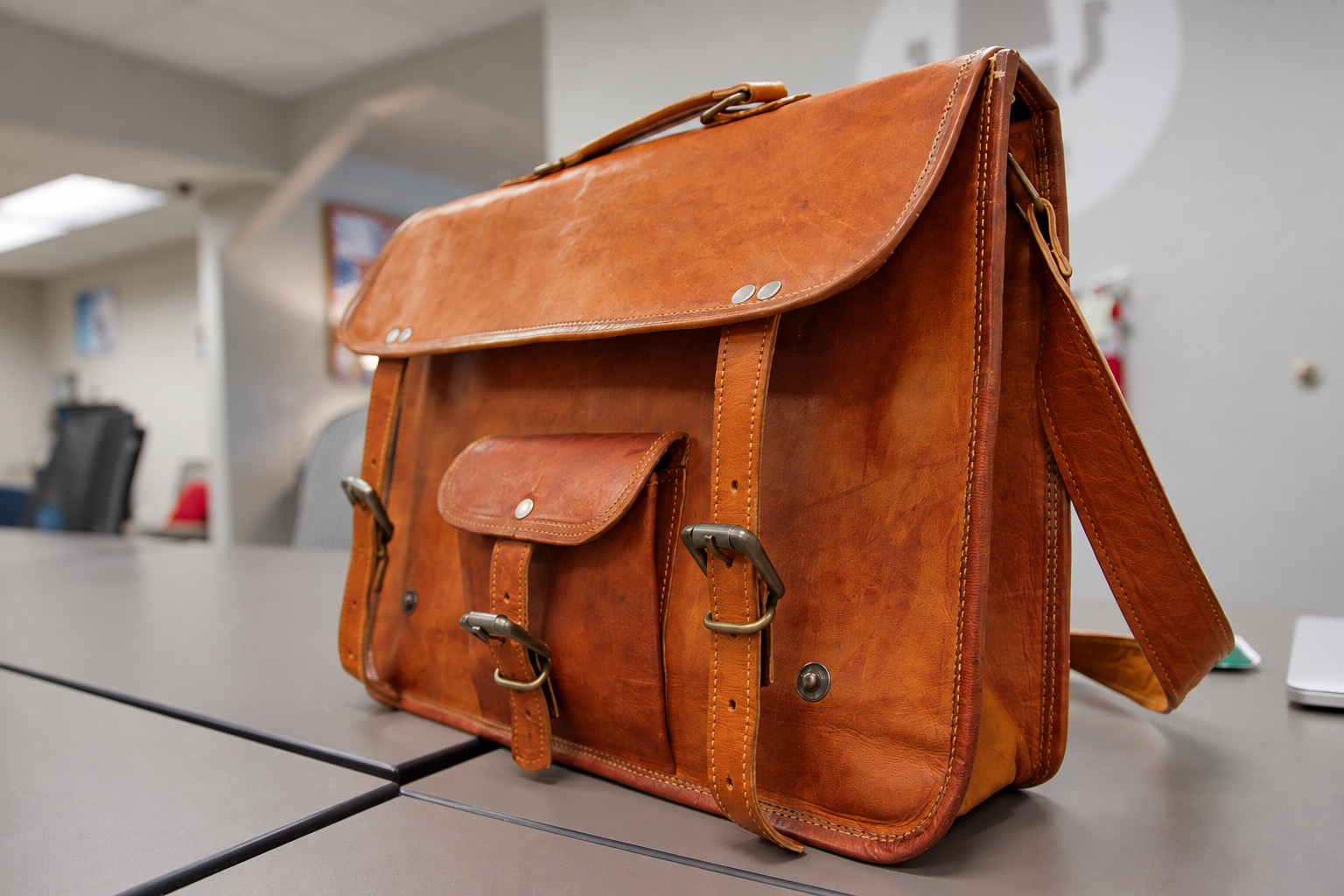
The closed satchel illustrates that limit. You can see its exterior construction, but you cannot infer the arrangement inside. It is an example of what one angle reveals, not evidence about the bag you are sourcing. Your shoot needs the actual product version you intend to sell.
Send the product link or SKU, selected color and size, and any detail that distinguishes your version from similar listings. If the sample differs from the final product, identify that difference before photography. An approved image of one version should not silently stand in for another.
Product detail shots are useful when the buyer needs to see something that disappears in a full-product image: stitching beside a handle, the edge of a lid, a charging connection or the finish around a fastener. Name the feature and explain why it matters. The photographer can then choose the framing and lighting.
A close-up also has limits. A textured surface does not establish its material composition, and a neat seam does not establish load capacity. Keep visual description separate from supplier specifications or testing evidence. Do not ask an editor to create a missing feature simply because the description says it should be there.
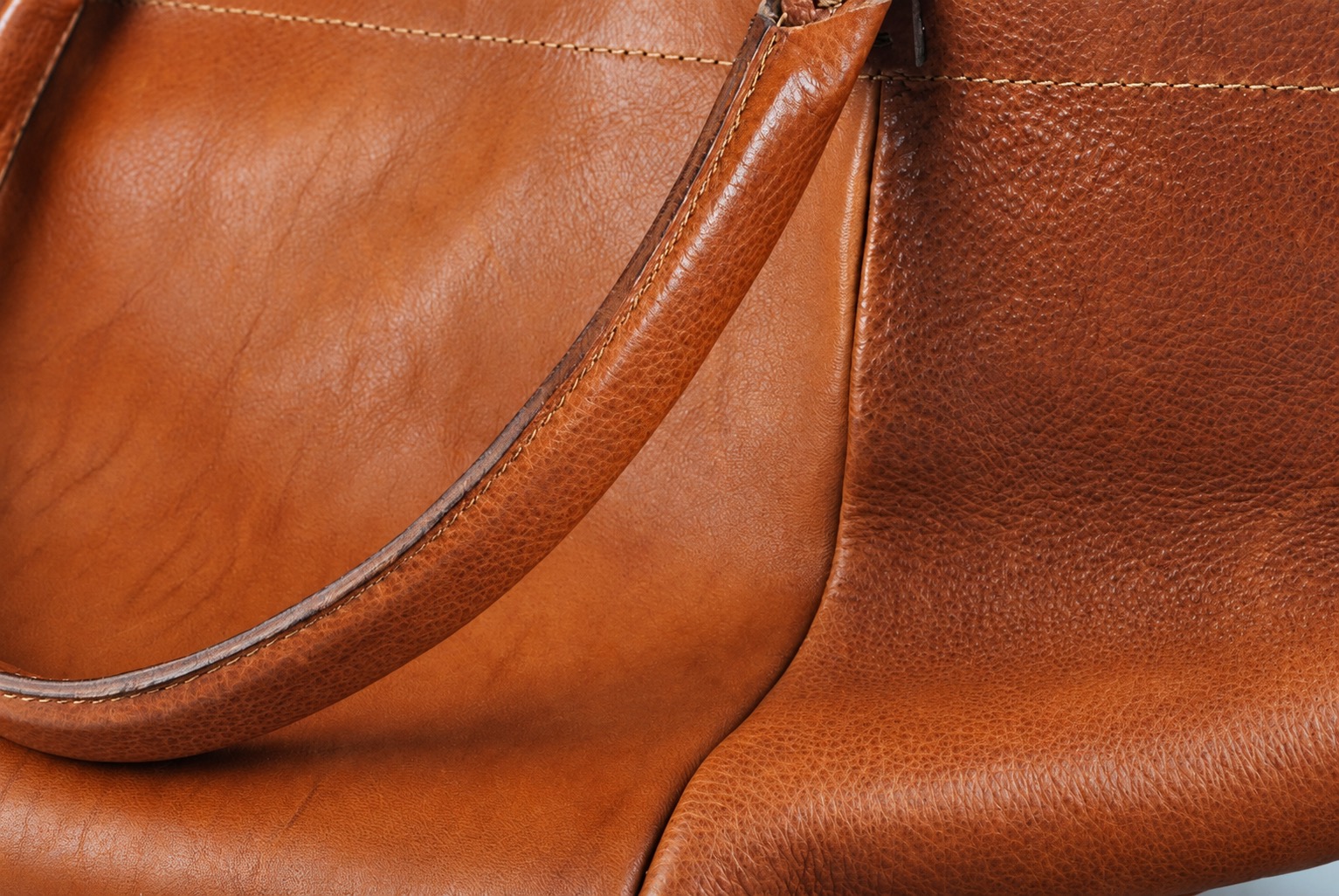
In this separate bag detail, the grain, stitching and handle edge are visible. Those are useful appearance details; the photograph alone cannot identify the material grade or prove durability. Use that distinction when deciding which statements belong beside your own product images.
If glare hides the feature, the problem may need a different capture rather than stronger retouching. Our guide to reflective product photography explains why moving an unwanted reflection and reconstructing hidden detail are different actions. You can point out the feature you need to see without specifying the studio’s technical setup.
A product isolated against a plain background can be difficult to size mentally. A familiar object or a natural in-hand view gives context. DSers’ guide to product image types distinguishes scale shots from close-ups and other views. They answer different questions; more of one does not replace the other.
Still, a hand is not a measuring instrument. Hands vary, and perspective changes apparent size. Pair an appropriate context image with dimensions confirmed for the actual item. For a mug, height, width and capacity describe different things; an image of its exterior does not verify how much it holds.

The mug resting on a palm gives a rough sense of proportion. It does not establish a capacity or tell you whether the handle is comfortable to hold. If grip, weight or surface feel affects your decision, discuss getting a physical sample rather than asking for another photograph to settle it.
Keep scale references honest. Do not digitally enlarge the product relative to a hand or shrink a prop to make the item appear bigger. If a scene includes accessories or packaging that are not included in the sale, make that distinction clear in your product presentation.
A product demo video is more useful than another still when the unanswered question involves movement: how a clasp opens, how parts connect, or what happens during normal use. Ask for the relevant action to remain visible from start to finish. Identify any accessory or preparation needed so the demonstration does not imply that an omitted item is included. Think of this as part of your product photo brief, even when the main asset is video.
A polished short clip and a clear functional demonstration may serve different purposes. Agree which you need in the product photo brief. A demonstration of one sample under stated conditions is not a durability test or a guarantee of every future unit’s performance. It should show what the item actually does without edited transitions concealing a required step.
If you plan to make your own AI-assisted visuals, request suitable reference photos of the real product as part of your product photo brief. Front, side and rear views, close-ups of important connections, and confirmed dimensions can give you a better basis for comparison than a single supplier thumbnail. Ask whether the agreed delivery includes the useful original views, not just tightly cropped finished images.
Compare each result with those references before using it. Check openings, accessories, logos, proportions and the depicted method of use. References can help you spot discrepancies; they do not guarantee that an AI tool will preserve the product. A generated image is not evidence of a feature absent from the physical sample. Keep your product photo brief explicit about what the visuals must and must not claim.
You do not need a technical shooting document to start the conversation. Send the product identification, existing images, missing details and intended uses—such as the product page or a vertical demonstration. Mark the essential views separately from optional styling. That lets the provider discuss the sample, formats and scope before you approve a quote.
UploadToSell’s photo and video service includes product photography, detail shots, unboxing and demonstrations, with actual deliverables agreed by project. You can discuss photography or sample support on its own; purchasing, customization and fulfillment are not compulsory additions. Confirm who will supply the exact sample and whether any changes are still pending.
You decide what to sell and how to use the content. UTS performs the photography or other work you commission, not your advertising tests or sales decisions. If you are unsure what to request, send the product link and point out what your current images fail to show. That is enough to begin a specific discussion about the missing assets, their scope and a personalized quote.